


Unlock Exclusive Video and Hook Strategies
Upgrade to the Fast Track Plan and receive done-for-you weekly plans to stay consistent, save time, and market smarter.

.svg)
Social Shareables

Foreclosures are rising—here’s a video script to help you guide your clients.
The latest data from ATTOM reveals a 5% increase in foreclosure filings from the previous month, with 32,383 U.S. properties affected in February 2025. This uptick signals a shift in the market, and as a real estate professional, it's crucial to stay ahead.
Many homeowners don’t realize they have options before foreclosure happens. That’s where you come in. By recording and sharing this video, you can proactively educate your audience, position yourself as a trusted resource, and provide real solutions when they need them most.
This script is designed for you to easily record and post. It walks homeowners through:
✔ Loan modification – Adjusting mortgage terms to make payments more manageable.
✔ Forbearance – Temporarily pausing payments to regain financial stability.
✔ Selling before foreclosure – Preserving equity and avoiding the foreclosure process.
✔ Short sale – Selling the property for less than owed, with lender approval.
🎥 How to use this: Simply record yourself reading the script, personalize it with your insights, and upload it to your social platforms. To make it even easier, use the Canva template below as your video thumbnail to grab attention.
By sharing this message, you’re not just staying visible—you’re providing real value. And in a shifting market, that’s what sets top agents apart. Here’s the script to get started.

Most buyers have no idea what it actually takes to afford a home. They scroll listings, see the price, and assume it’s out of reach—without ever running the numbers.
That’s why this post works. It doesn’t just show a home—it makes the math real. It answers the #1 question buyers have: Can I afford this?
Inspired by Selene Hanna’s viral Instagram Reel, we’ve turned her script into a high-performing carousel. The best part? You can use it to market your own listings—or someone else’s (with permission, of course).
Ready to start conversations with serious buyers? Let’s dive in.

Most “Just Sold” posts focus on the numbers—sale price, days on market, multiple offers. But this? This is about the moment a seller realizes their home is officially sold. The relief. The excitement. The deep breath after weeks (or months) of waiting.
Inspired by Bridgette Harrington’s viral reel, this isn’t about data—it’s about the human side of real estate. The emotions, the milestones, the stories that make this job so rewarding.
This reel captures that moment. And trust me, it’s the kind of content people feel—which is exactly why it resonates.
How to Customize Your Instagram Reel Using Our Canva Template
We’ve created a plug-and-play Canva template to help you easily produce a professional Instagram Reel.
Option 1: Use the Canva Template with Stock Photos or Videos
🔹 Step 1: Open the Canva template link provided. This will open the design in your Canva account. (If you don’t have an account, sign up for free at www.canva.com.)
🔹 Step 2: Click “Use Template” to create your own editable copy.
🔹 Step 3: Customize the text:
- Double-click any text box to edit.
- Adjust fonts and colors to match your branding (optional).
🔹 Step 4: Add your logo (optional):
- Upload your logo via “Uploads” and drag it onto the template.
🔹 Step 5: Download your video:
- Click “Share” in the top right corner.
- Select “Download” > Choose MP4 format > Click Download.
🔹 Step 6: Post to Instagram Reels:
- Open Instagram and tap the + button, then select Reel.
- Upload your customized video.
- Add trending audio (optional), a compelling caption, and relevant hashtags.
- Tap “Share” — and you’re done!
Option 2: Use Your Own Videos as the Background
Want to make your reel even more personal? Use photos or videos of your client's property as the background while keeping the text animations and design from our template.
🔹 Step 1: Record or select a vertical video.
🔹 Step 2: Open the Canva template link and click “Use Template” to create your editable copy.
🔹 Step 3: Replace the background videos:
- Click on the existing video in the template.
- Choose “Delete” or “Replace background.”
- Upload your video via “Uploads” and drag it into the background frame.
🔹 Step 4: Adjust the text & design:
- Ensure your text is still readable over your custom video.
- Move or resize elements if needed.
🔹 Step 5: Download your video:
- Click “Share” in the top right corner.
- Select “Download” > Choose MP4 format > Click Download.
🔹 Step 6: Post to Instagram Reels:
- Open Instagram and tap the + button, then select Reel.
- Upload your video.
- Add trending audio (optional), a caption (which is included below), and relevant hashtags.
- Tap “Share” — and you’re done!

Pricing your home too high might feel like a smart move—you can always lower it later, right? But in reality, overpricing can do more harm than good.
The first week on the market is everything. That’s when serious buyers are searching, ready to make offers. But if your price is too high? You risk getting ignored, losing momentum, and ultimately selling for less than if you had priced it right from the start.
This carousel breaks down why overpricing is risky—and how to price strategically to attract strong offers.

Most FSBO sellers think pricing is just about their home. But buyers don’t see it that way. They compare every listing in the market before making a move—and if a home doesn’t stack up, they scroll right past it.
That’s why this Reel works. Instead of telling FSBO sellers their price is wrong, it helps them see why pricing strategically matters. It gives them a buyer’s perspective, shifts their mindset, and naturally leads to the CMA offer as the solution.
The goal? Provide value first, spark awareness, and make it easy for them to take the next step.
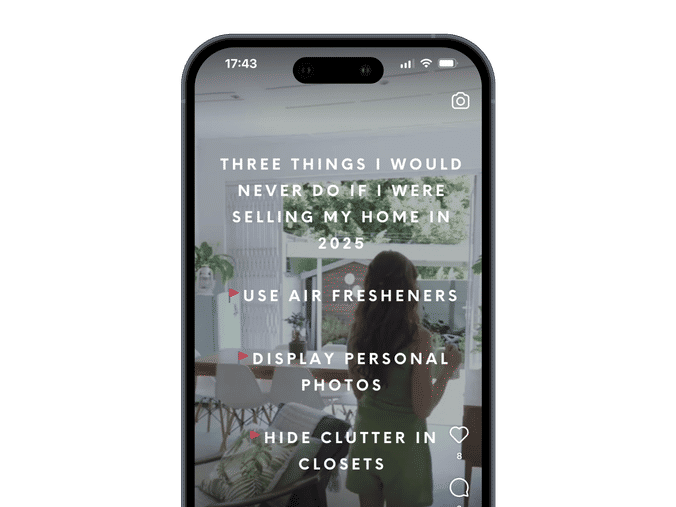
Inspired by Kate Howard’s Instagram Reel, this campaign gives you three simple, but often overlooked, mistakes sellers make that can quietly kill deals. Use it to educate your audience, position yourself as the expert who knows what works, and spark conversations with homeowners who want to get it right.
If you hate being on camera, you’re going to love this Reel.
It taps into the growing Faceless Creator trend—where agents build trust, grow their brand, and generate leads without ever showing their face. It’s perfect if you want to reduce the pressure of being on camera or just work faster.

Buying a home in 2025 might be on a lot of people’s minds—but what’s holding them back? Price? Timing? Selling first? You won’t know unless you ask.
That’s what this poll is built for. It’s an easy, low-commitment way for buyers to tell you what’s really standing in their way—without feeling pressured. Every response gives you a reason to reach out, start a conversation, and position yourself as the agent who understands their situation.
Use this poll to spark engagement, uncover hesitation, and find your next client.

As you know, we’re always testing. One of the big zen learnings we’ve had recently was using multiple stories to drive up conversion. In fact a recent story I posted got 6x more engagement when I used the poll at the END, not the beginning of the story.

If you hate being on camera, you’re going to love this Instagram Reel. This campaign leverages the "Faceless Creator" movement on Instagram, which is all about building a brand and generating content without showing your face or making yourself the focal point. It’s a growing trend across Instagram and other platforms, driven by creators who prefer privacy, want to reduce the pressure of being constantly on camera, or simply find it more efficient to create content this way.
Inspired by Courtney Strzelczyk’s Instagram Reel, the hook is to feature neighborhoods that have something that buyers really want (i.e. No HOA, historic character, great shopping, etc.). See the image above for example hooks (or create your own!). End with a CTA for viewers to comment if they want current listings in those neighborhoods.
How to Customize Your Instagram Reel Using Our Canva Template
We’ve created a plug-and-play Canva template to help you easily produce a professional Instagram Reel — no need to be on camera.
🔹 Step 1: Record or select a vertical video showcasing the neighborhood.
🔹 Step 2: Open the Canva template link and click “Use Template” to create your editable copy.
🔹 Step 3: Replace the background video:
- Click on the existing video in the template.
- Choose “Delete” or “Replace background.”
- Upload your video via “Uploads” and drag it into the background frame.
🔹 Step 4: Adjust the text & design:
- Ensure your text is still readable over your custom video.
- Move or resize elements if needed.
🔹 Step 5: Download your video:
- Click “Share” in the top right corner.
- Select “Download” > Choose MP4 format > Click Download.
🔹 Step 6: Post to Instagram Reels:
- Open Instagram and tap the + button, then select Reel.
- Upload your video.
- Add trending audio (optional), a compelling caption, and relevant hashtags.
- Tap “Share” — and you’re done!
*Please note there is no Show Flow or Audio Transcription of Show Flow.
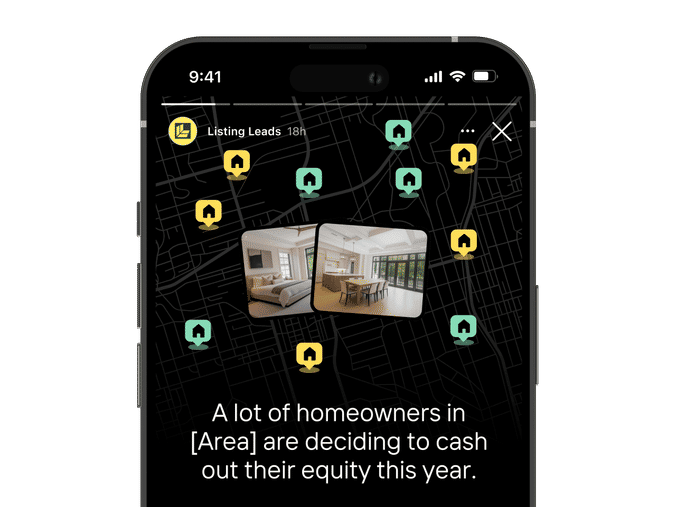
Inspired by Ken Pozek’s Instagram Story, this is a perfect campaign to use when you want to convert through Instagram Stories—whether you have a Just Sold listing to promote or not.
The reason why this campaign is so effective is that it leans into the “herd mentality”—the idea that consumers tend to follow the actions and choices of a larger group, often driven by social proof and the perception that popular decisions are the safest or best.
If you’ve recently sold a home, use this campaign to showcase your listing. And if you haven’t recently sold a home, use it as an opportunity to showcase homes that have sold recently in a specific neighborhood for the same effect.

Inspired by Ken Pozek’s Instagram Story, this is a perfect campaign to use when you want to convert through Instagram Stories—whether you have a Just Sold listing to promote or not.
The reason why this campaign is so effective is that it leans into the “herd mentality”—the idea that consumers tend to follow the actions and choices of a larger group, often driven by social proof and the perception that popular decisions are the safest or best.
If you’ve recently sold a home, use this campaign to showcase your listing. And if you haven’t recently sold a home, use it as an opportunity to showcase homes that have sold recently in a specific neighborhood for the same effect.
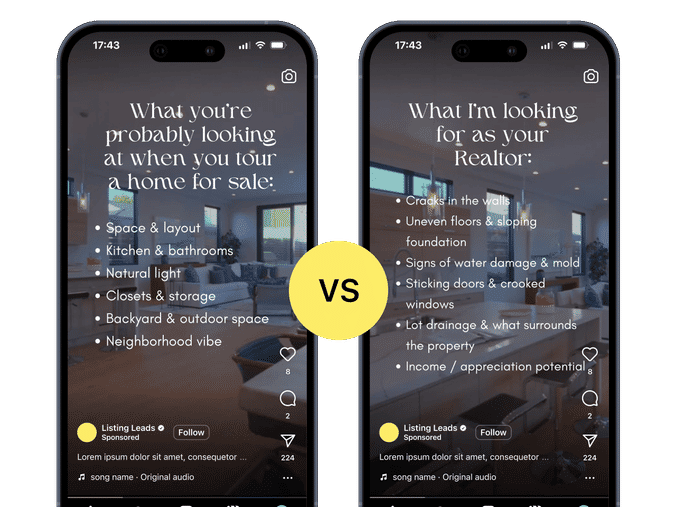
Most buyers walk into a home and see potential. They see possibilities, aesthetics, the way the space feels. But as an agent, your job isn’t just to see what is—it’s to spot what could be a problem before it becomes a regret. That’s the difference between an emotional decision and a smart investment.
Inspired by Marie Lee’s viral Instagram Reel, this perspective shift will help your clients make sharper, more informed choices.
How to Create Your Instagram Reel Using the Canva Video Template
We’ve made it super simple for you to create an engaging Instagram Reel! Follow these step-by-step instructions to get your reel live in minutes.
Option 1: Use the Canva Template As-Is
🔹 Step 1: Click the Canva template link we provided. This will open the template in your Canva account. (If you don’t have an account, sign up for free at www.canva.com).
🔹 Step 2: Click “Use template” to create your own copy of the design.
🔹 Step 3: Customize the text to match your brand and message:
- Double-click any text to edit.
- Update the fonts and colors if needed to match your branding.
🔹 Step 4: Add your logo (optional):
- Click “Uploads” in the left toolbar.
- Upload your logo and drag it onto the template.
🔹 Step 5: Download your video:
- Click “Share” (top right corner).
- Select “Download” → Choose MP4 format → Click Download.
🔹 Step 6: Post to Instagram Reels:
- Open Instagram, tap the + button, and select Reel.
- Upload your Canva video and add trending audio (optional).
- Write a compelling caption and include relevant hashtags.
- Tap Share – and you’re done! 🚀
Option 2: Use Your Own Video as the Background
Want to personalize your reel even more? Use your own video as the background while keeping the text animations and design elements from the Canva template.
🔹 Step 1: Record or select a video you want to use for the background. (Make sure it’s vertical for best results.)
🔹 Step 2: Open the Canva template and click “Use template” to make your own copy.
🔹 Step 3: Replace the background video:
- Click on the existing video in the template.
- Hit “Delete” or “Replace background”.
- Upload your own video: Click “Uploads” > Drag & drop your video or click “Upload files”.
- Drag your video into place to fit the frame.
🔹 Step 4: Adjust the text & design if needed:
- Ensure the text is still visible and not covering key parts of your video.
- Resize or move elements if necessary.
🔹 Step 5: Download your video:
- Click “Share” (top right corner).
- Select “Download” → Choose MP4 format → Click Download.
🔹 Step 6: Post to Instagram Reels:
- Open Instagram, tap the + button, and select Reel.
- Upload your customized video and add trending audio (optional).
- Write a compelling caption and include relevant hashtags.
- Tap Share – and you’re done! 🎉

Most sellers assume they need to spend thousands fixing up their home before listing. But what if that’s not actually the case?
This Instagram carousel doesn’t just challenge that assumption—it proves it wrong with a real success story. Instead of pushing renovations, it walks homeowners through a real-life example of a seller who skipped the costly upgrades, found the right buyer, and walked away with $XX,XXX more than they would have made with an iBuyer.
By the end, the message is clear: before they spend a dime, they should DM you first. Real results, real strategy, and a CTA designed to start conversations. Let’s get it posted!
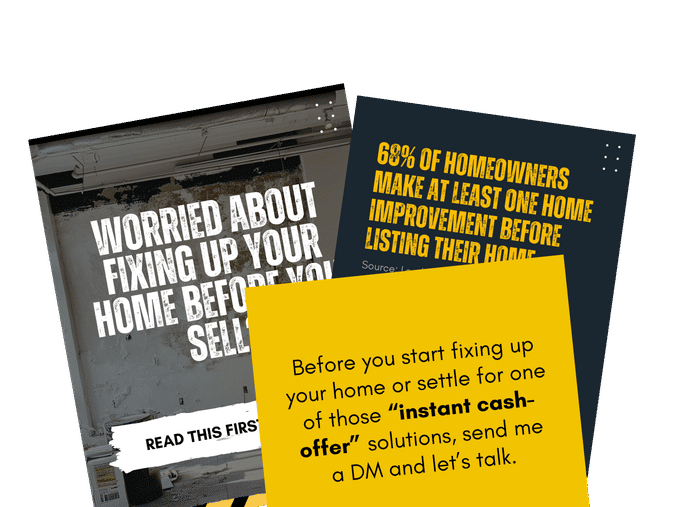
Most sellers assume they need to spend thousands fixing up their home before listing. But what if that’s not actually the case?
This Instagram carousel is designed to challenge that assumption. Instead of pushing renovations, it shifts the focus to what actually matters—buyer demand, strategic positioning, and connecting with the right buyers.
The slides walk homeowners through a counterintuitive insight: upgrades aren’t always necessary, and in many cases, skipping them can lead to a faster, more profitable sale. By the end, the CTA is clear—before they spend a dime, they should DM you first.
Simple, effective, and built to spark engagement. Let’s get it posted!

A marketing message that speaks directly to a specific type of seller is far more powerful than a generic one.
This script is designed for homeowners struggling to get their home sold—sellers who are frustrated, uncertain, and looking for real answers.
By addressing their pain points head-on, you position yourself as the agent who knows how to get a home sold.
Inspired by Tyler Drinkwater’s excellent Reel, this script calls out the biggest reason listings fail—poor positioning—and provides a clear path forward.
Pair this with the Expired Marketing Blueprint to strengthen your strategy and establish yourself as the go-to expert.
How to Create Your Instagram Reel
Step 1: Use our script to create your Instagram Reel
Step 2: Create or Upload Your Reel
Record a Reel using Instagram's camera or upload a pre-recorded video from your phone.
Step 3: Edit Your Reel
Add effects, music, and text as needed.
Step 4: Proceed to the Share Screen
Tap Next after editing your Reel to move to the final screen where you add captions and tags.
Step 5: Use the Canva template below to create your Instagram Reel cover
Use your brand colors to customize it to your unique brand. Save it to your camera roll.
Step 6: Select the Cover
On the Share Screen, look for the "Cover" option (usually beneath or near the preview of your Reel).
Tap "Cover" to open the editor.
Tap "Add from Camera Roll" to upload the image.
Step 7: Crop and Adjust (Optional)
Instagram lets you adjust the placement of the image for the grid preview (the square format seen on your profile). Use the grid view to ensure the most important part of the image is centered.
Step 8: Save and Post
Tap Done after selecting the cover. Add your caption, tags, and other details which are all provided below, then post your Reel.
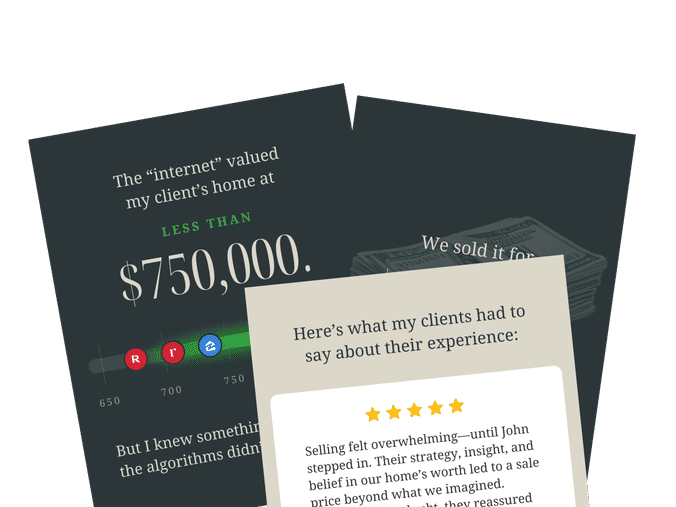
A Just Sold carousel is a real estate marketing staple—and for good reason. It’s a compelling way to showcase real results, build trust, and plant the seed for future sellers.
Originally inspired by Katie Lucie’s direct mail letter, this carousel repurposes that proven format for Instagram, making it easy to share your next impressive sale.
The hook? A striking price difference between an online estimate and the final sale. It keeps people swiping, reinforces the value of strategic marketing, and ends with a clear call to action.